
主题美化插件手册---持续更新
git推送超时问题
2023/9/19 git推送超时问题
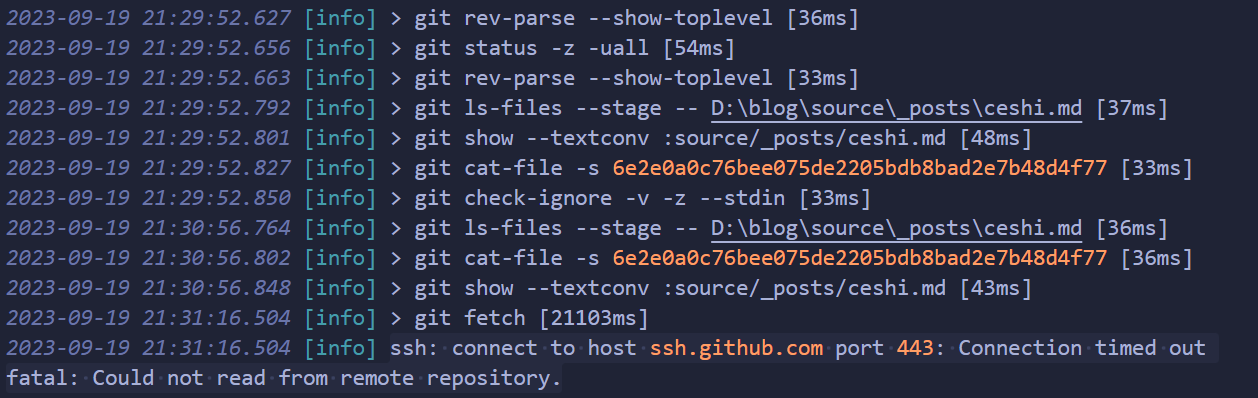
在vccode中推送git到github超时,无法推送
输出显示ssh: connect to host ssh.github.com port 443: Connection timed out fatal: Could not read from remote repository.
在网上搜索终于找到解决办法

首先在https://ipaddress.com/website/ssh.github.com网站中查询ip
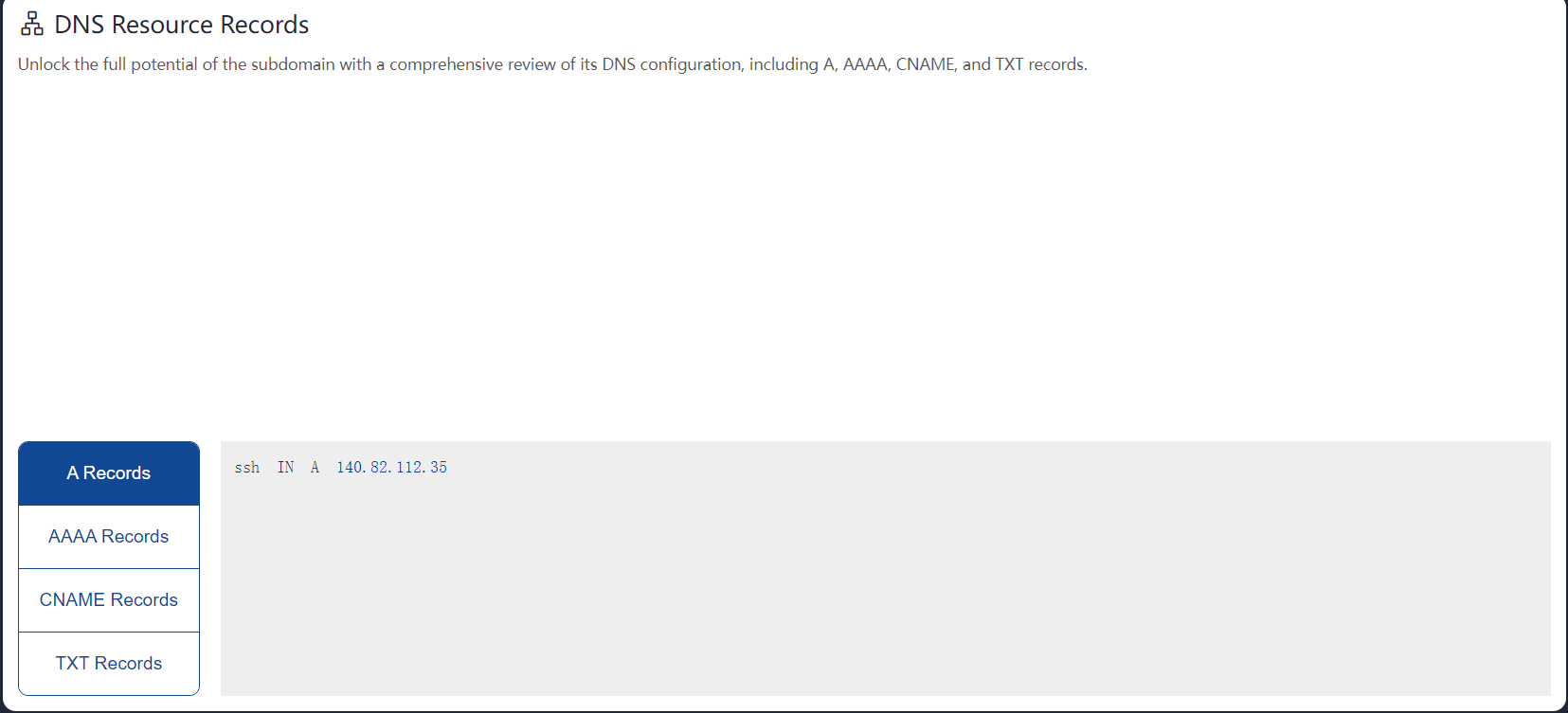
查出来ssh.github.com的IP是 140.82.112.35
知道ip后,接下来测试下ssh是否可以连上改ip
1 | ssh -T -p 443 git@140.82.114.36 |

如果看到最后一行 Hi xxxx 就说明没问题。
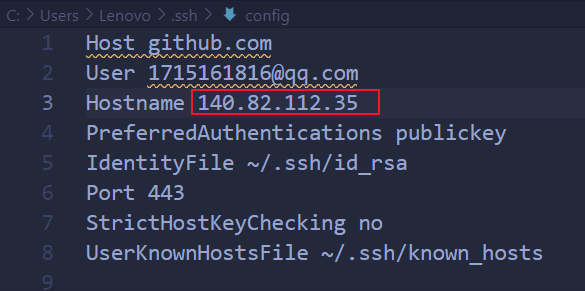
这时候,找到当前用户目录下的.ssh/config 文件,如果没有就自己建一个。只要将Hostname ssh.github.com换成ip地址140.82.112.35即可
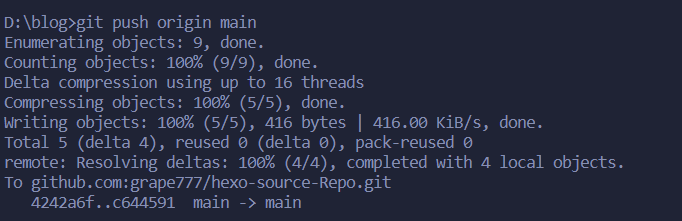
最后重新push代码,大功告成
bilibili-card
2023/9/9 bilibili-card插件安装

安装
1 | npm i hexo-bilibili-card |
卸载
1 | npm uninstall hexo-bilibili-card |
示例
1 | {% bilicard BV1vs411D7JZ %} |
此插件要求node版本在18.x以上,如生成不成功请检查node版本
如果使用GitHub action自动部署请注意.github/autodeploy.yml的node版本,版本不对也无法部署成功
作者人非常好,很有耐心
修改卡片文章背景透明度
2023/4/27 修改卡片文章背景透明度
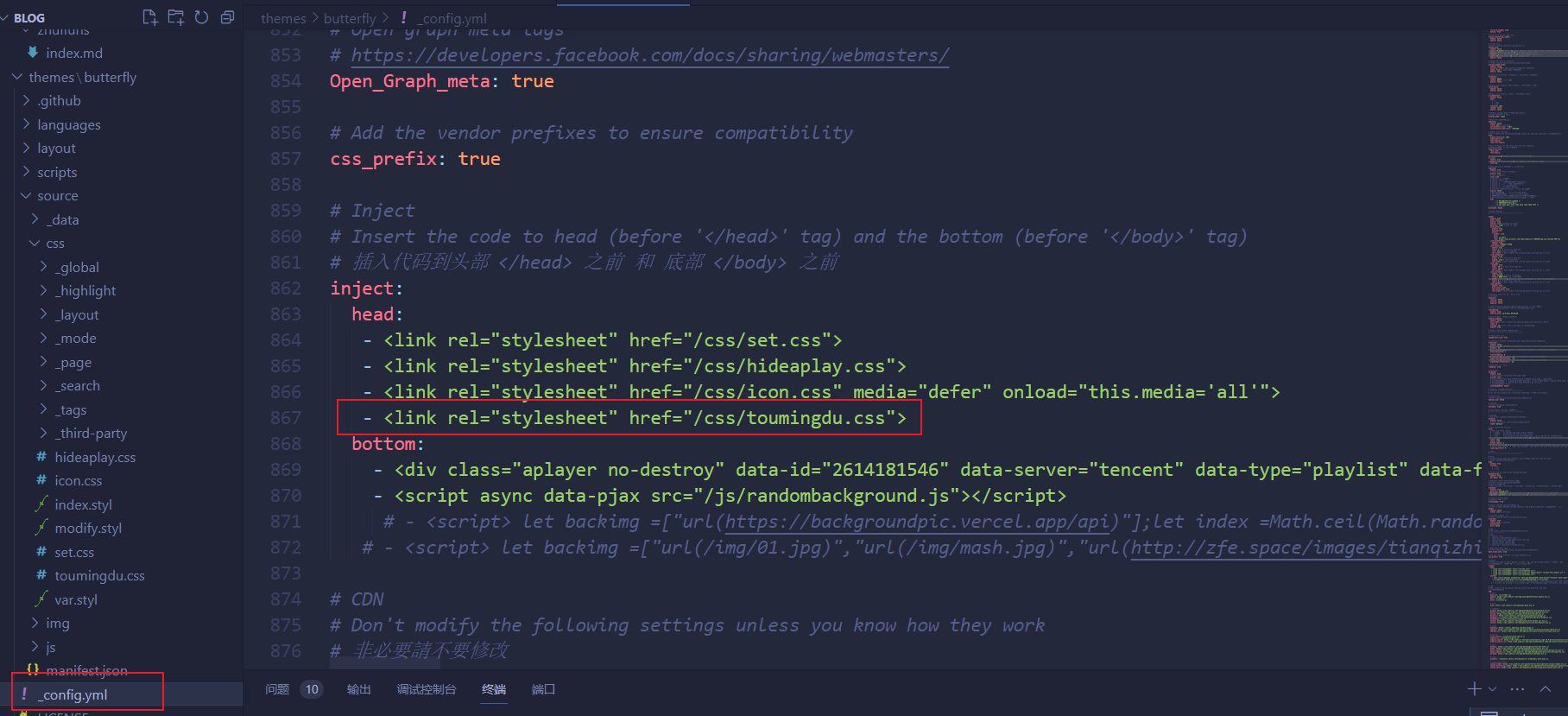
在主题页面的themes\butterfly\source\css中新建css文件
复制代码
1 | /* 文章页背景 */ |
在主题配置文件_config.yml引入css文件,全局检索inject,在以下head位置插入字段
GitHub action自动部署
2023/4/24 配置GitHub action自动部署
随机背景图
2023/4/11 随机背景图
首先必须设置网站背景图,在主题配置中找到并且配置。我这里是配置成了'#efefef'
1 | # Website Background (設置網站背景) |
配置之后,主页使用#web_bg的div来存放背景图片,使用#page-header来存放banner图片。使用js随机选择一张图片,然后根据id取值重设即可做到每次切换或刷新时,随机背景图片。
我这里在blog\themes\butterfly\source\js下新建了randombackground.js文件
1 | //随机背景图片数组,图片可以换成图床链接,注意最后一条后面不要有逗号 |
最后在主题配置文件中引入js
1 | inject: |
关闭aplayer歌词显示
2023/4/11 关闭aplayer歌词显示
关闭aplayer歌词显示,但即使点击展开界面的歌词按钮也不会显示歌词,使用data-lrctype="0"参数即可,完整代码为
1 | inject: |
重装系统转移博客到新本地
2022/6/18 重装系统转移hexo
大体跟着小嘉的教程完成,但有几个bug需要修
- hexo图片路径问题
生成时会出现
update link as:–>/.io//06/01/vim/1561905818946.png
update link as:–>/.io//06/01/vim/1561905818946.png
- Git提交时提示
The file will have its original line endings in your working directory
根据phper_陈普的方法解决
- 生成和部署时出现
Browserslist: caniuse-lite is outdated. Please run: npx browserslist@latest --update-db
根据前端司南的帖子
输入
1 | npm update caniuse-lite |
即可
